
Lock In.
Gear Up.
Rule the Zone.
Full database access at zero cost. Weapon numbers and kit planning for players who want the detail before the match starts.
- Weapons
- 34
- Vehicles
- 20
- Catalogue items
- 132
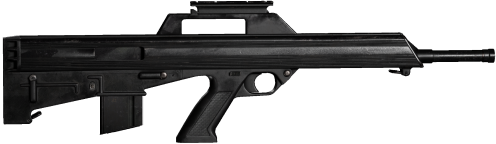
BUSHMASTER M17S
Assault Rifle · 5.56x45mm
Damage, velocity and range are not published in-game.
Know the ground
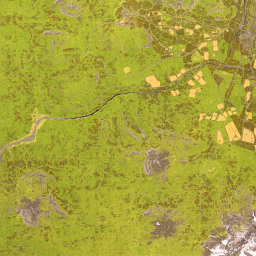
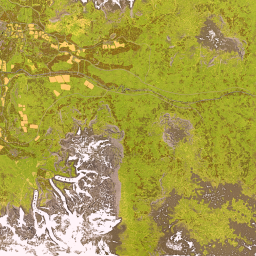
3 battlefields at 256 km² apiece. Drag around the tiles, toggle the zone layers, and find the town you keep dying in.


Nobody clears a zone
on their own.
Squad-finding, build critique and the running scoreboard of who lost the most cash this week. Open to every region and every skill level.
Join the communityWhat this site is
WardogsHQ is an unofficial community reference for WARDOGS, the tactical shooter from Bulkhead published by Team17. It records what has actually been observed — weapon and vehicle costs, gear stats, inventory grids, map coordinates, ballistics — and it says where each figure came from.
Nothing here is invented. Every record carries an evidence tier: Confirmed means an official source stated it, Reported means it was observed in a build, Unconfirmed means it is inference and should be discounted accordingly. Where a value is not published anywhere, the field shows a dash and a note explaining what is missing, rather than a plausible-looking guess. That rule costs this site a weapon damage tier list and several pages of easy content, and it is the reason the rest can be trusted.
The tools implement the game's rules rather than describing them. The loadout builder models the real inventory grids, including the sealed pockets that make a backpack refuse an item it has room for. The cargo planner fits crates into real vehicle beds. The artillery calculator solves both firing arcs against real map coordinates. Each one produces a link you can send to the rest of your squad.
WARDOGS is in Early Access, so the numbers move. Records are stamped with the build they were taken from, and announced launch content is larger than what has been seen so far — that gap is shown rather than smoothed over. If something here is wrong, telling us which page and what you observed is the fastest way to get it fixed.